 sales@batterydeji.com
 English




Hot summer night. Beers, BBQ, gaming with friends.
And someone always yells:
“Yo… who’s got a power bank?”
Fast forward to winter. You pull your phone out of your pocket and—
“Wait… why won’t it turn on?!”
Yep. iPhone battery life is a pain point for a lot of people.
But how much of it is normal aging — and how much is avoidable damage?
Let’s break it down.
Apple Introduced Battery Health for a Reason
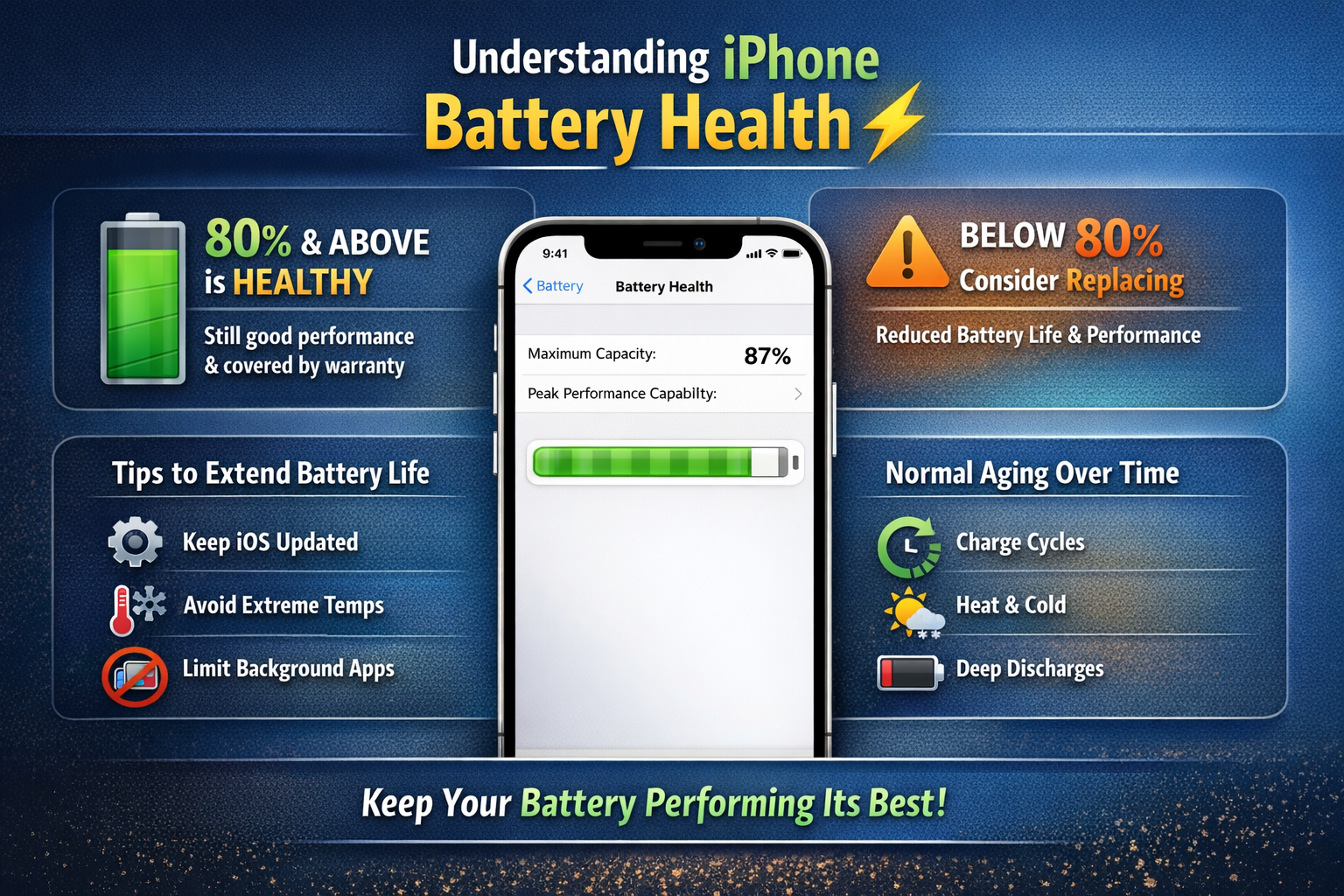
In 2018, Apple released iOS 11.3 and introduced a feature called Battery Health.
This tool shows:
Your iPhone’s maximum battery capacity
Whether it supports peak performance
The percentage (0%–100%) reflects how much charge your battery can hold compared to when it was new.
A brand-new iPhone starts at 100%.
Over time, that number drops. That’s completely normal.
What’s Considered a “Healthy” Battery?
Many people think anything below 100% is bad.
Not true.
Apple considers 80% and above to be healthy. Normal!!!
In fact:
Apple’s 1-year warranty typically covers batteries that drop below 80%.
It’s very common for iPhones to remain above 90% after one year.
There’s also a built-in capacity buffer. So even when your phone shows 100%, it isn’t using its absolute chemical limit — this helps extend lifespan.
Even at 80%, your iPhone can still operate normally.
How to Check Your Battery Health
On an iPhone 6 or newer (running iOS 11.3+), go to:
Settings → Battery → Battery Health
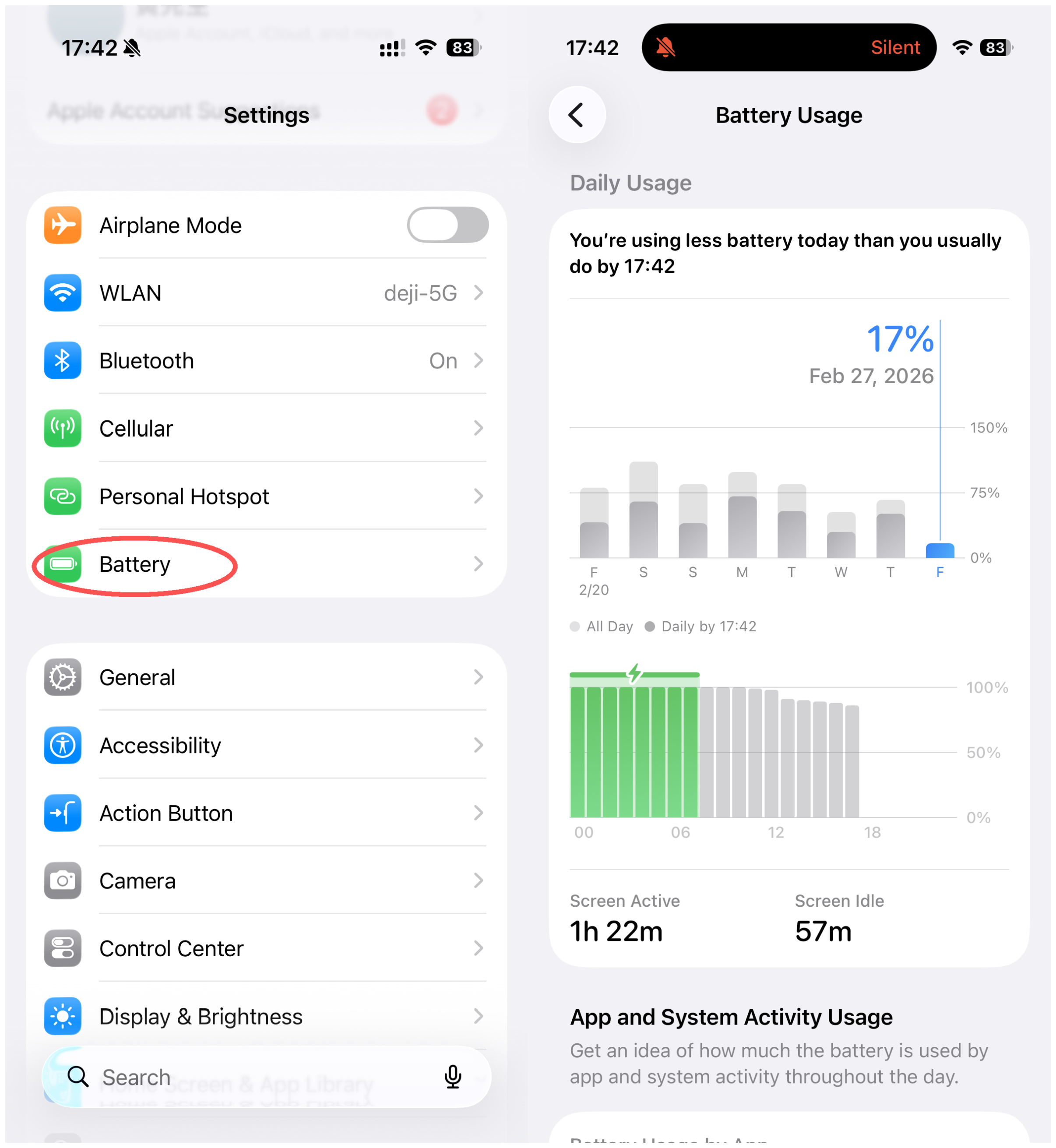
Here you’ll see:
Maximum Capacity
Peak Performance Capability
If your battery is functioning properly, you’ll see:
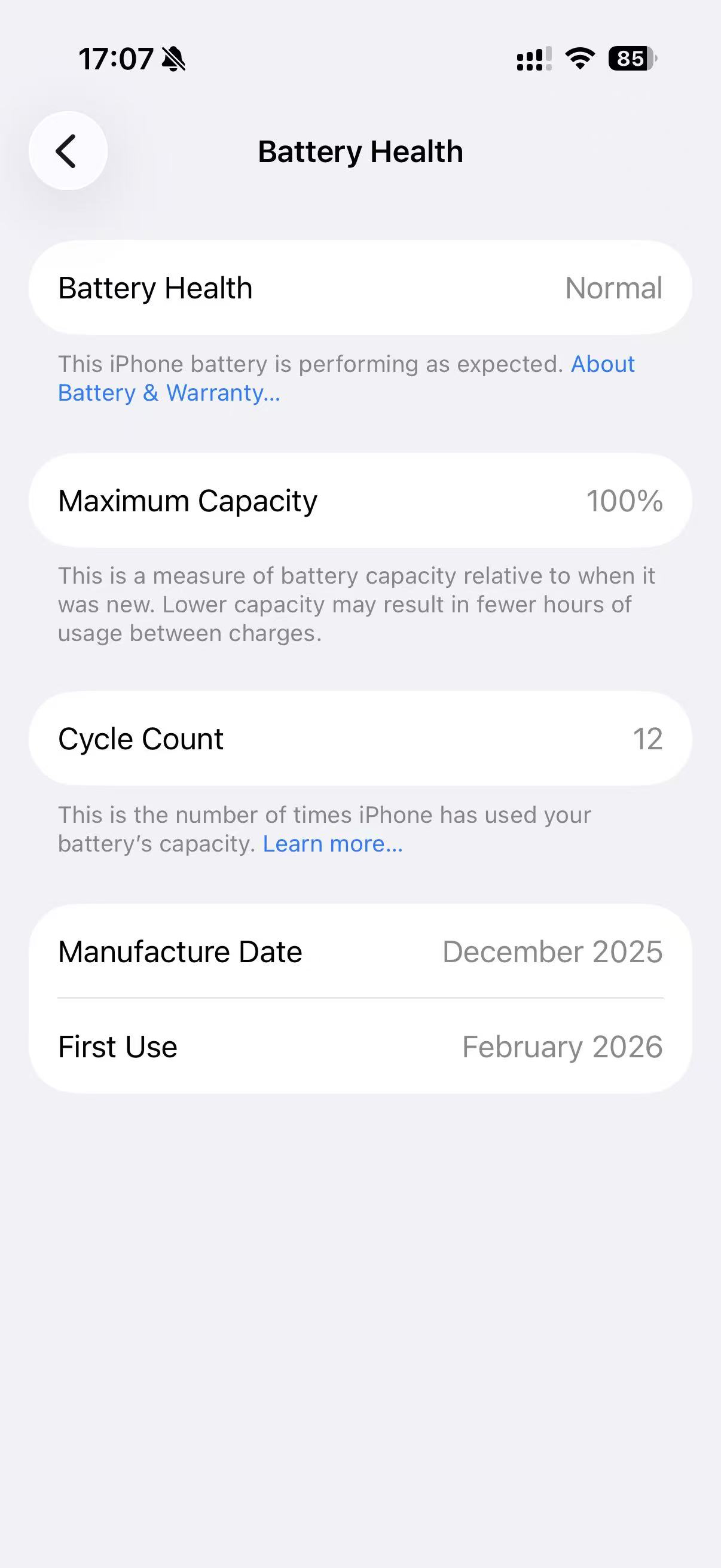
“Your battery is currently supporting normal peak performance.”
If it’s significantly degraded (below 79%), you’ll see a warning suggesting replacement.
At that point, your phone still works — but battery life and stability may decline.
Why Battery Health Declines
Battery aging is influenced by:
Charge cycles (around 500 full cycles = noticeable wear)
Heat exposure
Deep discharges (0% shutdowns)
Long-term extreme temperatures
Excessive background activity
Lithium batteries are consumable components. But smart usage can significantly slow the aging process.
Performance Management (The “Throttling” Discussion)
A few years ago, Apple introduced **Performance Management**, which reduces peak performance when a battery can’t deliver sufficient power.
This prevents unexpected shutdowns.
You can disable it — but doing so may cause faster battery drain and instability if the battery is already degraded.
For long-term stability, maintaining battery health is always the better solution.
Practical Ways to Extend iPhone Battery Life
Here are simple, Apple-recommended habits that make a real difference:
1️⃣ Keep iOS Updated
Major iOS updates often include battery optimization improvements.
2️⃣ Control Temperature
Ideal operating range:
16°C – 22°C (61°F – 72°F)
High heat causes permanent damage.
Cold temperatures temporarily reduce performance.
Avoid leaving your phone in a hot car. Heat is the number one battery killer.
3️⃣ Avoid Deep Discharges
Try to keep your battery between:
20% – 80%
If storing your device long-term, leave it at around 50%.
Repeated full discharges (0%) stress lithium batteries and accelerate wear.
4️⃣ Prevent Overheating While Charging
* Remove thick cases if the phone feels hot.
* Avoid charging on soft surfaces like beds or sofas.
* Ensure proper airflow.
Heat during charging significantly reduces battery lifespan.
5️⃣ Reduce Background Activity
Go to:
Settings → General → Background App Refresh
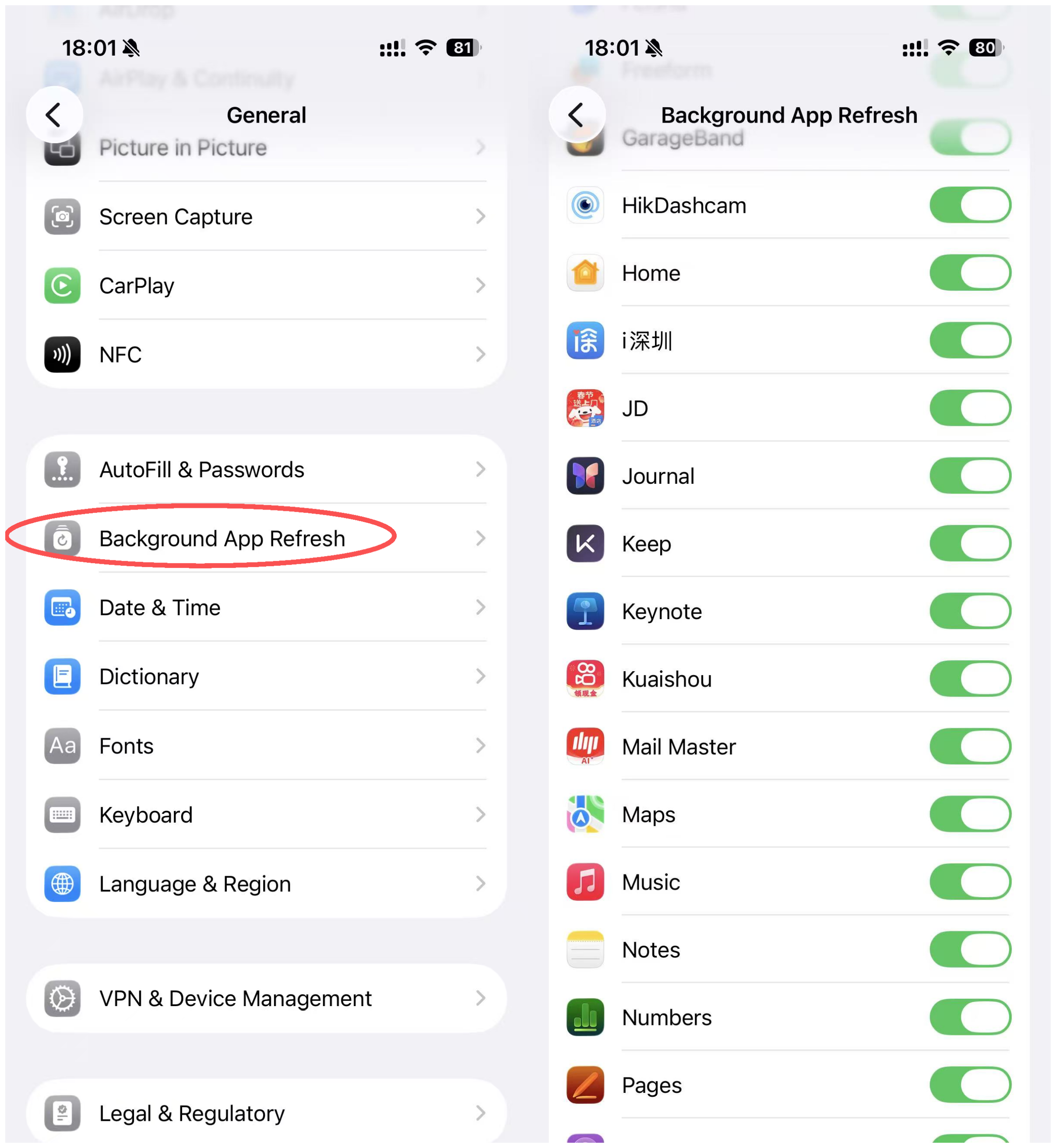
Disable background refresh for low-usage apps.
Fewer background processes = fewer unnecessary charge cycles.
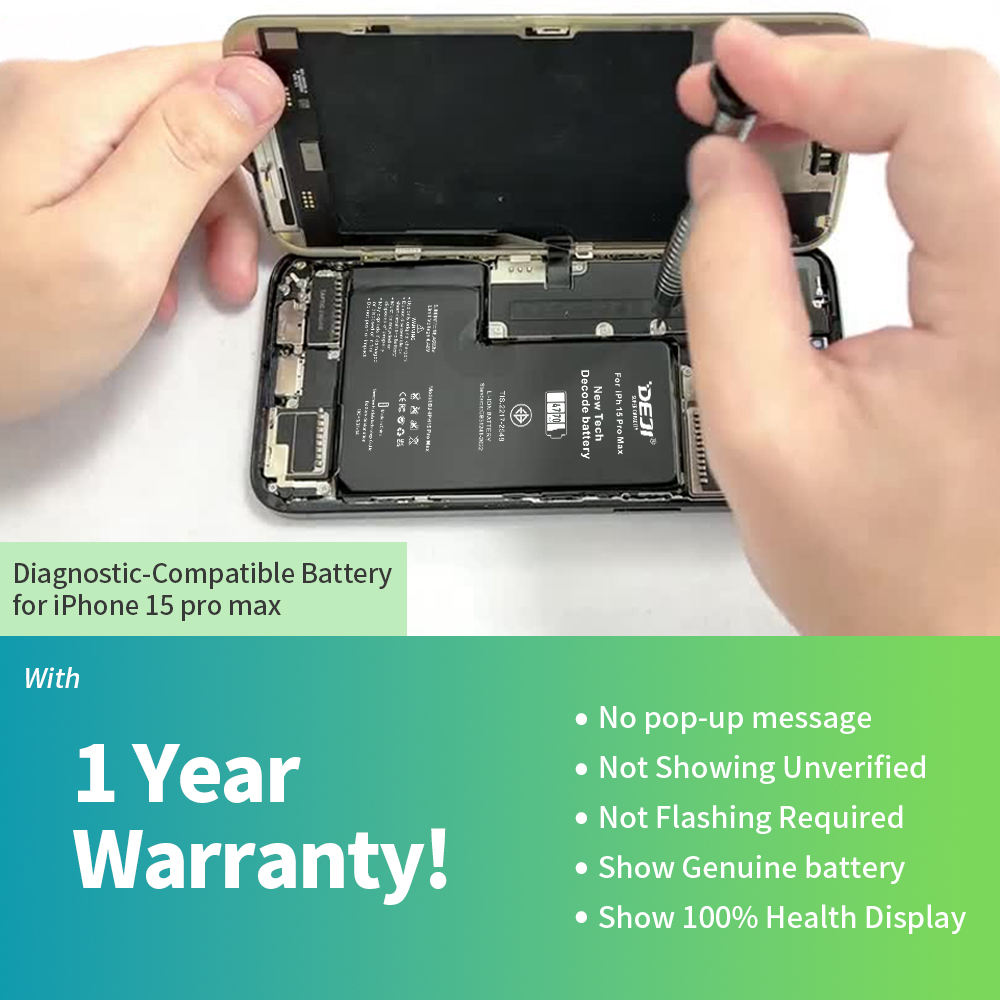
When Should You Replace the Battery?
Consider replacement when:
* Battery health drops below 80%
* The phone shuts down unexpectedly
* Battery drains unusually fast
* Peak performance warning appears
A fresh battery restores:
* Full-day usage confidence
* Stable performance
* Reliable power delivery
Final Thoughts
Battery health isn’t about chasing 100%.
It’s about:
Smart charging habits
Temperature control
Software optimization
Understanding how lithium batteries work
Your iPhone battery is designed to age — but how fast it ages depends largely on you.
Take care of it, and it will take care of your performance.
If you’d like to learn more about battery technology, replacement solutions, or how to maximize long-term device performance, explore the rest of our resources.